How to Sell USDT for INR in India
Five simple steps. TRC20 deposit. INR in your bank in under 5 minutes.
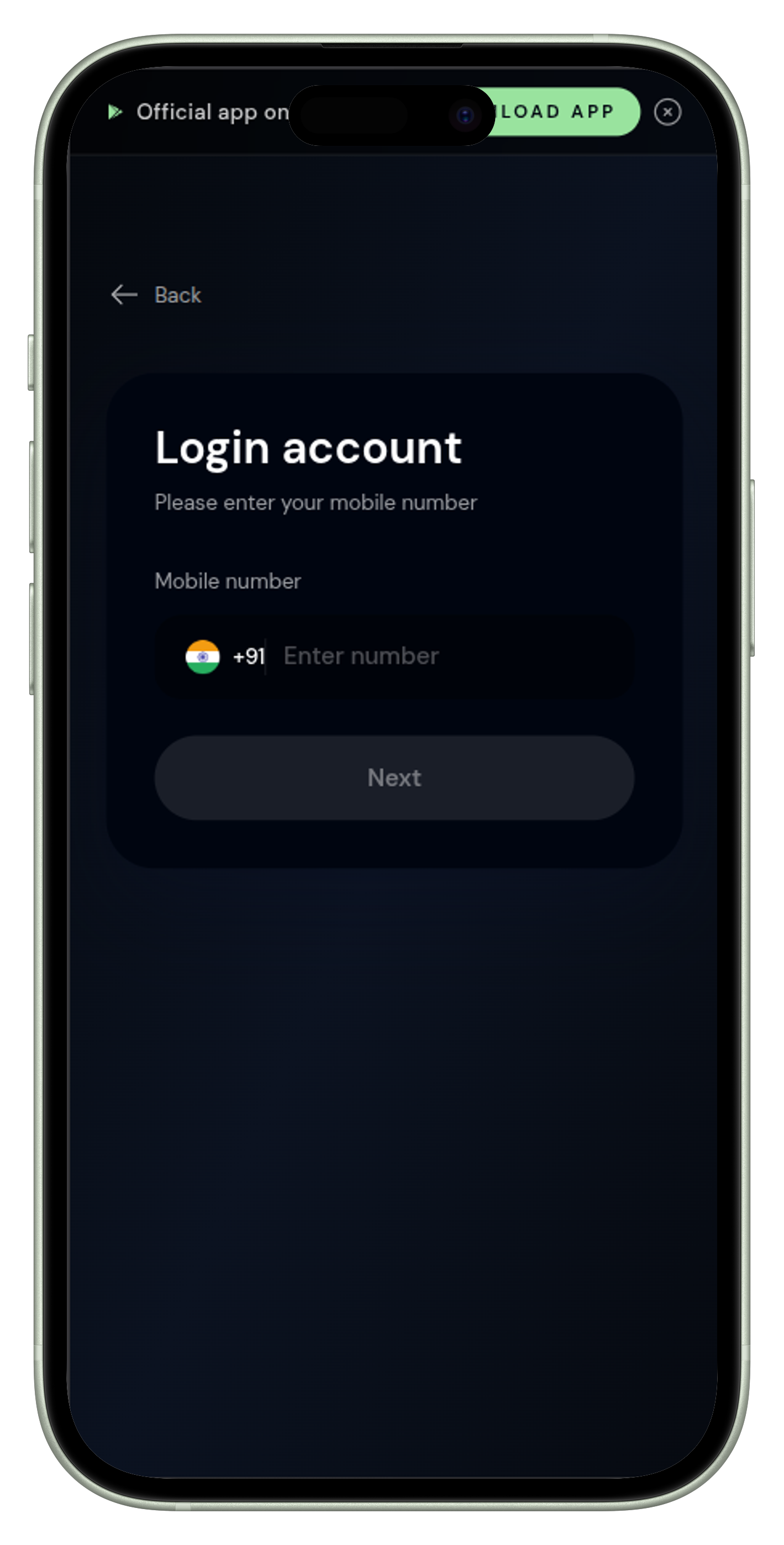
Create Your Account
Visit Crypgox and click Login. Enter your Indian mobile number (+91 only). Enter the OTP received via SMS to verify your number and access your account. The entire process takes under one minute.
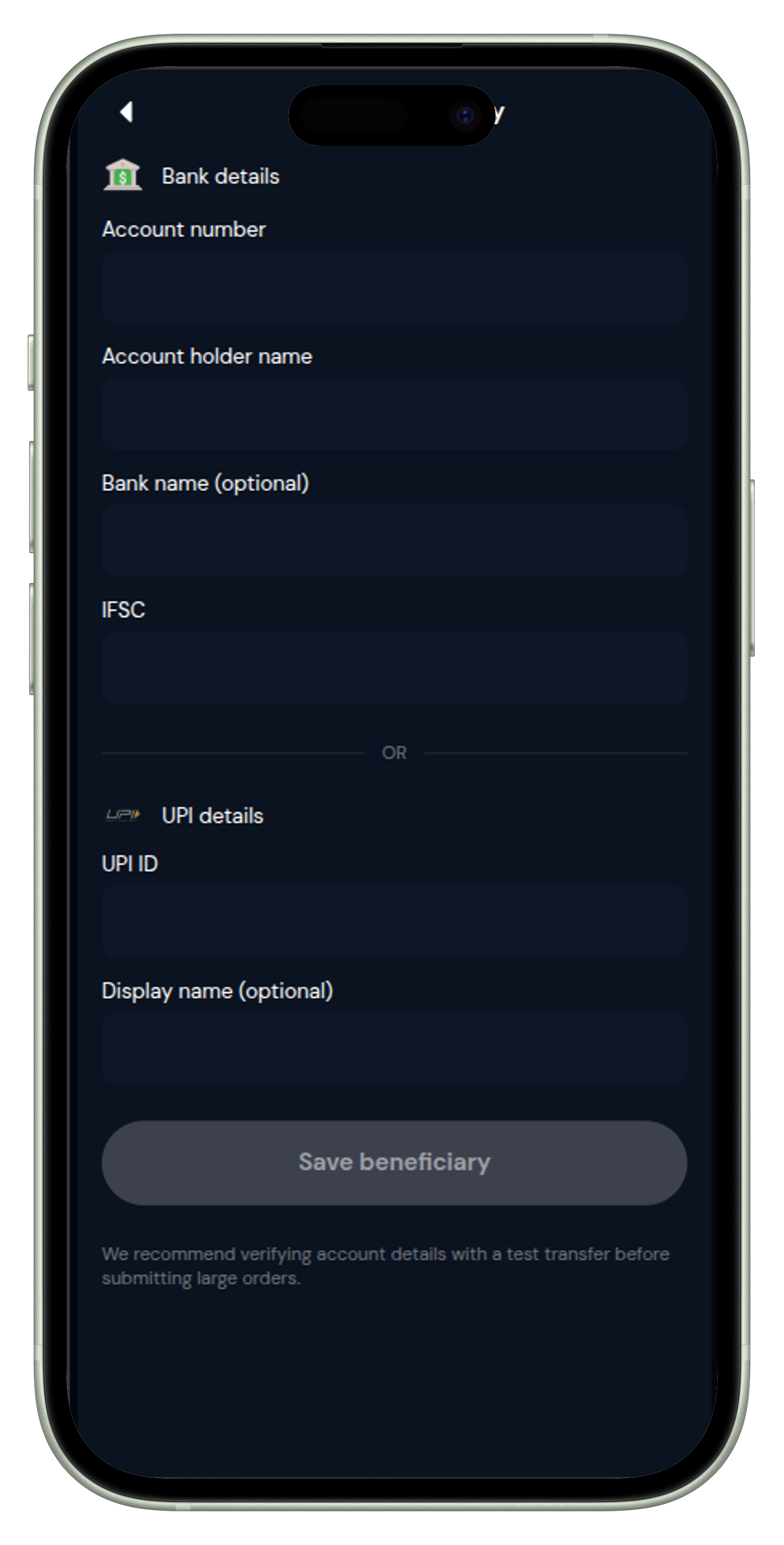
Add Your Bank or UPI Details
Go to the Exchange page and click Manage under Beneficiary Details. Add your bank account number and IFSC code, or your UPI ID for instant transfers. Save multiple beneficiaries and choose at time of each order.
Deposit USDT via TRC20
On the Exchange page click Deposit. Enter your USDT amount and click Deposit. You receive a unique wallet address and QR code valid for 2 hours. Send exact USDT via TRC20 only, then enter your transaction hash (TXID) to verify.
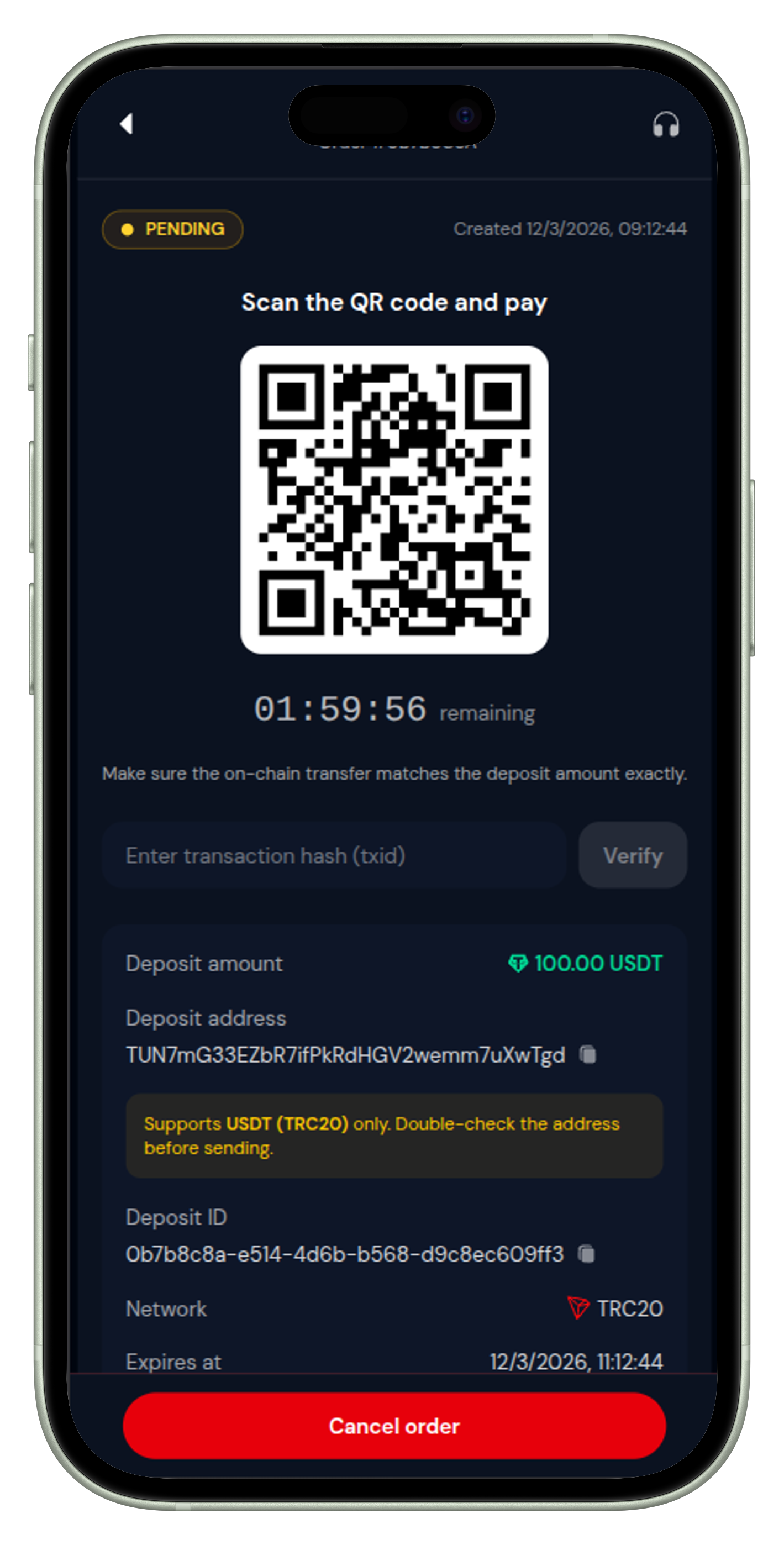
⚠️ Only TRC20 is currently supported for deposits. Sending via ERC20, BEP20 or any other network may result in permanent loss of funds. Always double-check before sending.
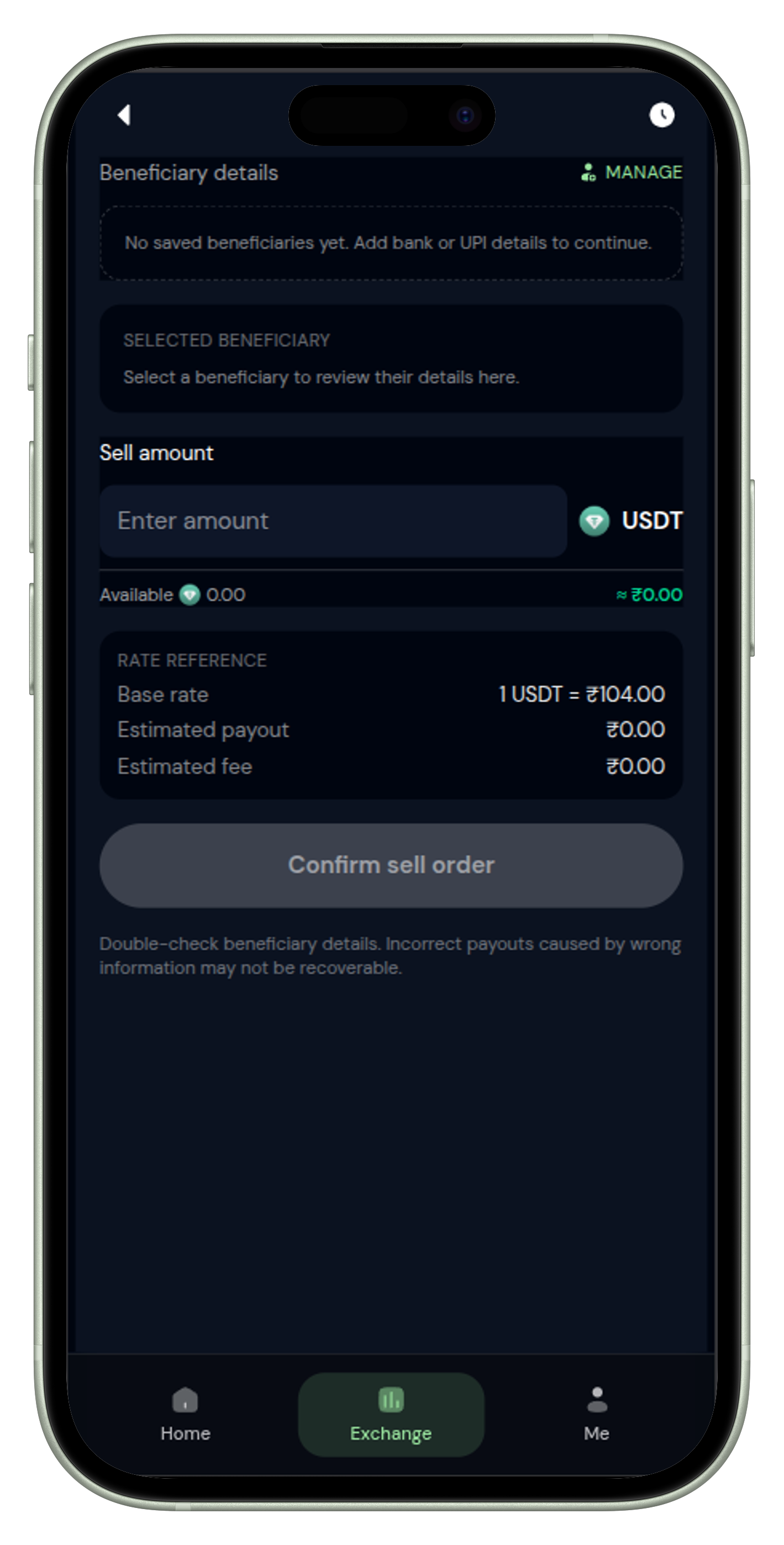
Sell USDT — Receive INR
On the Exchange page swipe the Swipe to Sell USDT button. Select your saved beneficiary, enter the sell amount. Platform shows base rate, estimated payout and fees upfront. Confirm the order — INR is credited to your bank or UPI typically within 5 minutes.
Earn via Referrals (Optional)
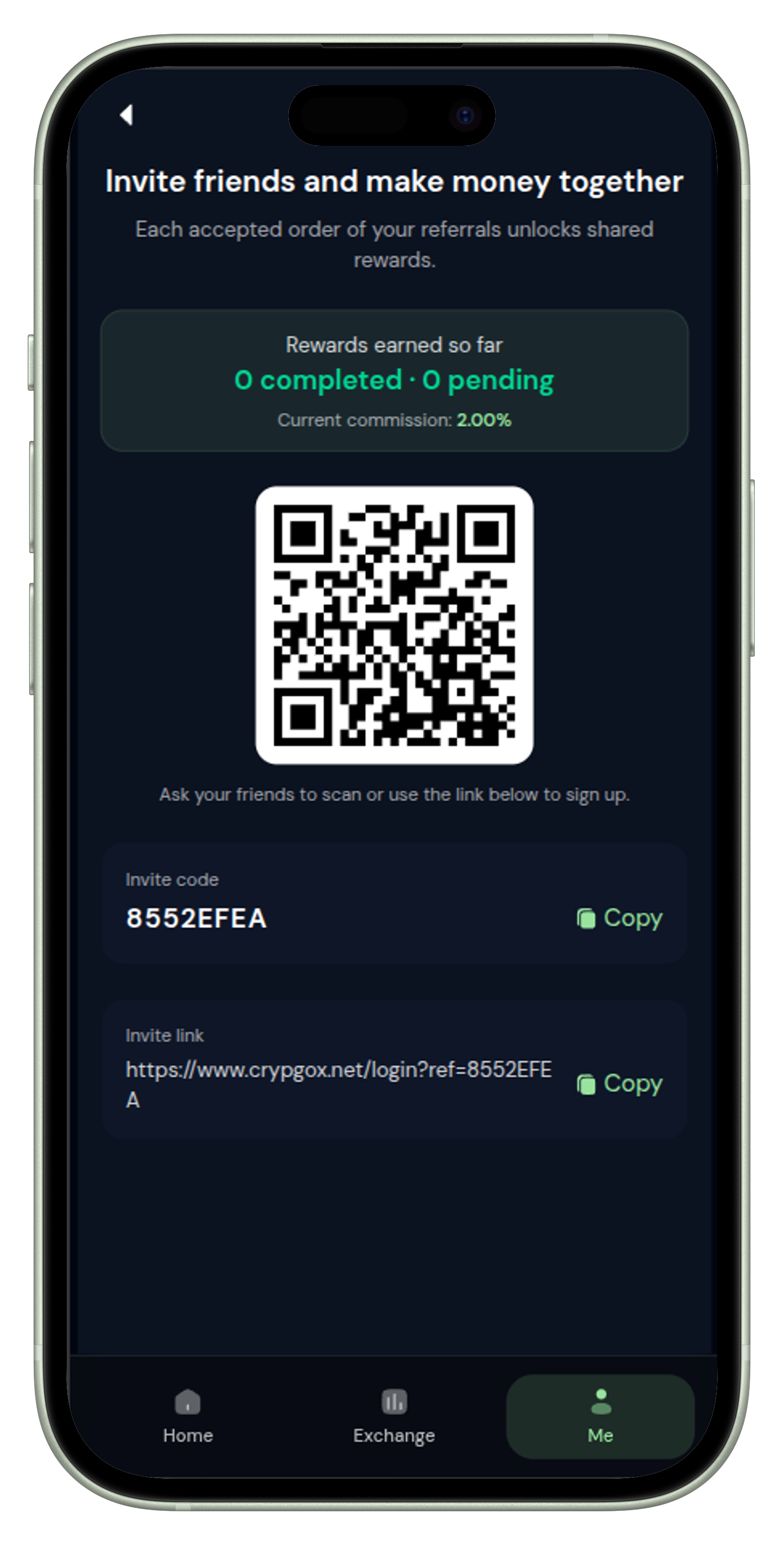
Share your referral code from the Invite section. Earn 2% commission on every completed order from your referrals. No cap on referrals. Passive income for anyone active in the Indian crypto community.
Need help? Crypgox support is available 24/7 via WhatsApp, Telegram, and live website chat.
FAQs
Ready to Convert USDT to INR?
Create your free account on Crypgox and complete your first sell order in minutes.